Server Backup Automation
Automate Server Backups Reliably Across All Your Infrastructure
Use CloudRay to run, schedule, and observe remote backup scripts across cloud and on‑prem servers with clear logs, predictable execution, and no SSH or manual intervention.
Why Server Backup Automation Matters
Backing up application data, databases, and server files is a critical operational task, but in most organisations, the process is held together by fragile workflows.
Unreviewed Cron Jobs
Cron jobs that run silently in the background and are rarely reviewed for success.
Scattered Scripts
Bash scripts copied across multiple servers, leading to inconsistencies.
Manual SSH
Reliance on manual SSH sessions during incidents to trigger or fix backups.
Silent Failures
Backups that fail without notifying anyone, leaving you vulnerable.
The Risk: Data Loss
This fragility creates risk: a single failed backup puts your entire system at stake. CloudRay provides a dependable automation layer that makes backup workflows reliable, observable, and consistent across every environment.
How CloudRay Improves Backup Automation
Execute your backup scripts across any number of servers directly from CloudRay’s centralised platform.
Remote Execution
Run backup scripts remotely without SSH. Support for database dumps, filesystem backups, and cloud uploads.
Precision Scheduling
Schedule backups nightly, hourly, or via custom cron expressions to fit your RPO requirements.
Real-Time Monitoring
Monitor live stdout/stderr, exit codes, and resource usage. See exactly when and how backups run.
Failure Alerts
Get notified immediately via webhooks, Slack, or Discord if a backup script fails or exits with an error.
Event Triggers
Trigger backups automatically from external events like deployments, CI success, or monitoring alerts.
Centralised Secrets
Securely manage DB credentials, S3 keys, and retention configs in one place, injected at runtime.

Define your backup logic in standard Bash, then attach schedules and servers.
Example Workflows CloudRay Makes Reliable
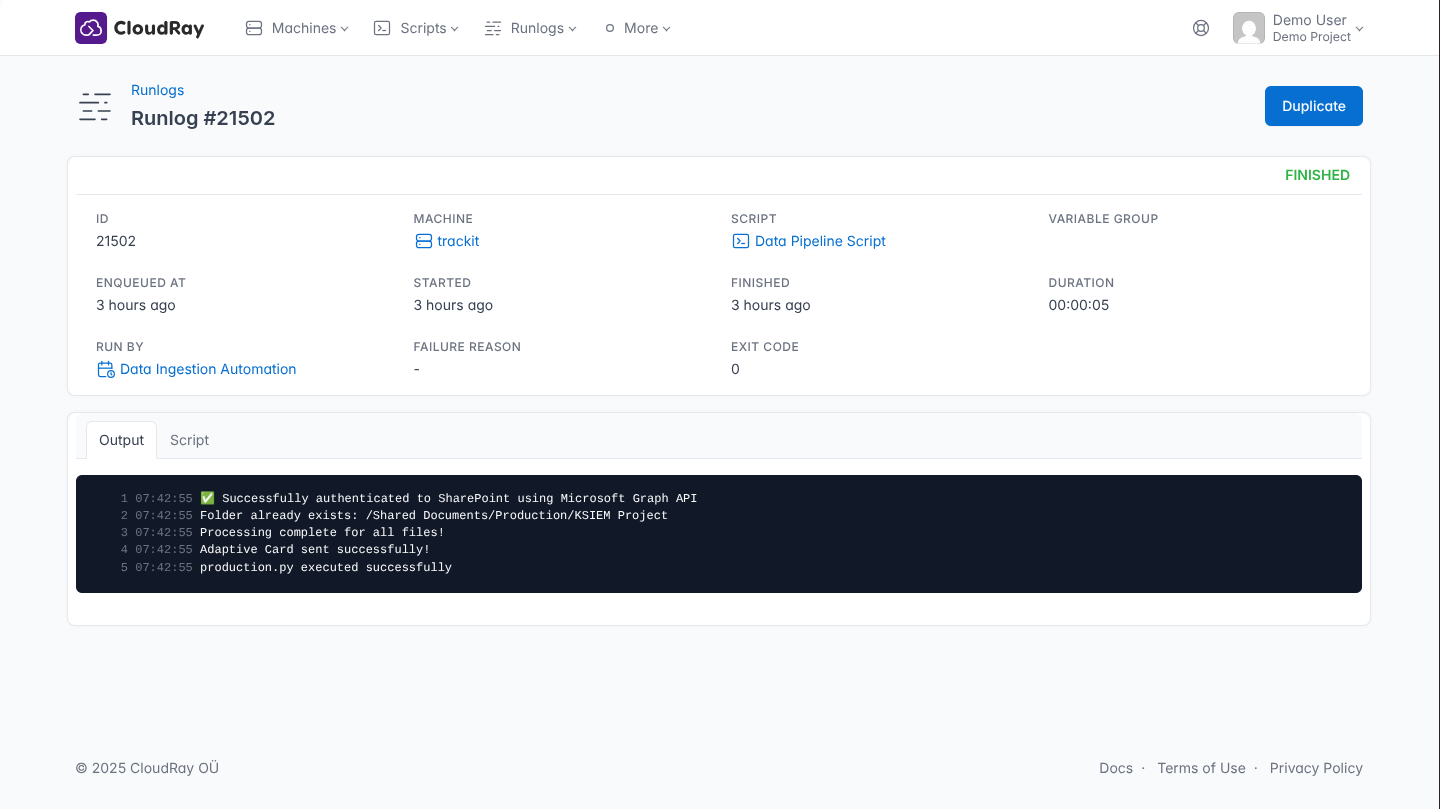
Watch your backups run in real-time with full stdout/stderr capture.
Why CloudRay Works Better
CloudRay replaces fragile, ad-hoc solutions with a robust automation platform.
The Old Way
- • Cron jobs → no logs, silent failures
- • Manual SSH → labour‑intensive
- • Homegrown scripts → hard to maintain
- • CI tools → too heavy for server‑level backups
The CloudRay Way
- • Centralised execution & Unified audit trail
- • Predictable schedules & Real‑time observability
- • Alerts on failures & Secure variables
- • Multi‑server orchestration
Reliable Backups
Sleep better knowing your data is backed up, verified, and monitored automatically.
Automate Your Server Backups
With Confidence
Stop relying on cron jobs or silent shell scripts. CloudRay brings reliability, structure, and visibility to every backup workflow.